Octet (BLI)
The Octet measures binding kinetics by biolayer interferometry (BLI). A ligand is captured on a fibre-optic biosensor, the sensor is dipped into analyte, and the instrument reports the shift in interference pattern as material binds and falls off, giving kon, koff and KD without any labelling.
Contents
Section titled “Contents”1. Overview
Section titled “1. Overview”| Model | Octet RED96e |
| Location | McLellan lab, NHB 4.320 |
| Lab contact | Connor (McLellan lab) |
| Booking | Book the instrument through BLI Calira Access |
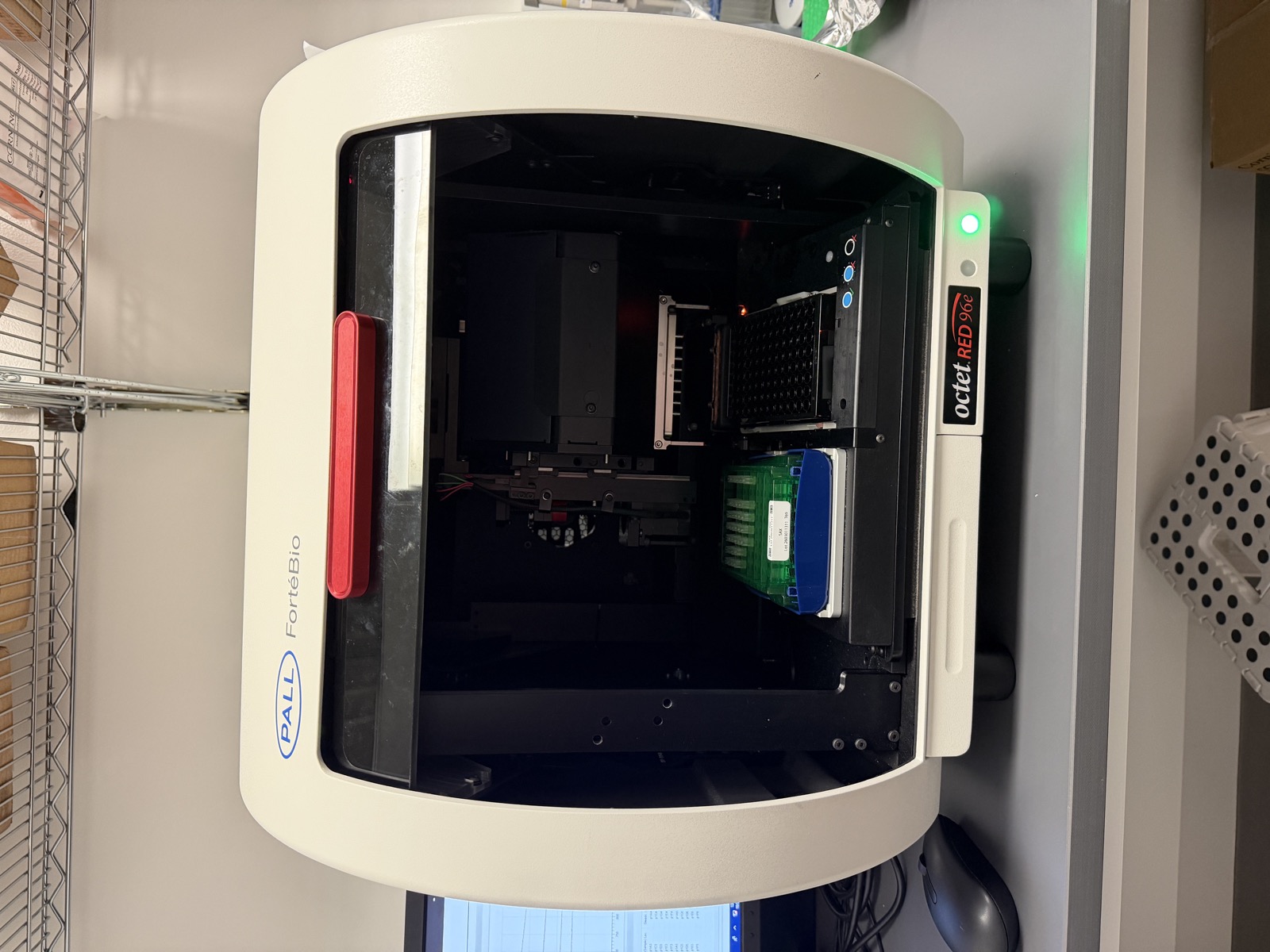
2. Operation
Section titled “2. Operation”Full step-by-step instructions, from building the method to fitting the curves, are on the Octet BLI setup and data analysis page. In short:
- Make running buffer and load 200 µL per well into the black buffer plate.
- Build the method in the Data Acquisition program: plate definition, assay definition, sensor assignment, then review.
- Place new sensor tips with the Octet-specific multichannel pipette, lifting straight up, and soak them in running buffer for 10 min.
- Load the sample plate, with A1 at the top right corner, and snap it in firmly.
- Start the run with a 10 min equilibration delay.
- Process and fit the data in the Data Analysis program.
A typical kinetics run takes about 40 min. Longer dissociation steps push this out; the Cas12b method used in the lab runs about 65 min per cycle.
3. Consumables
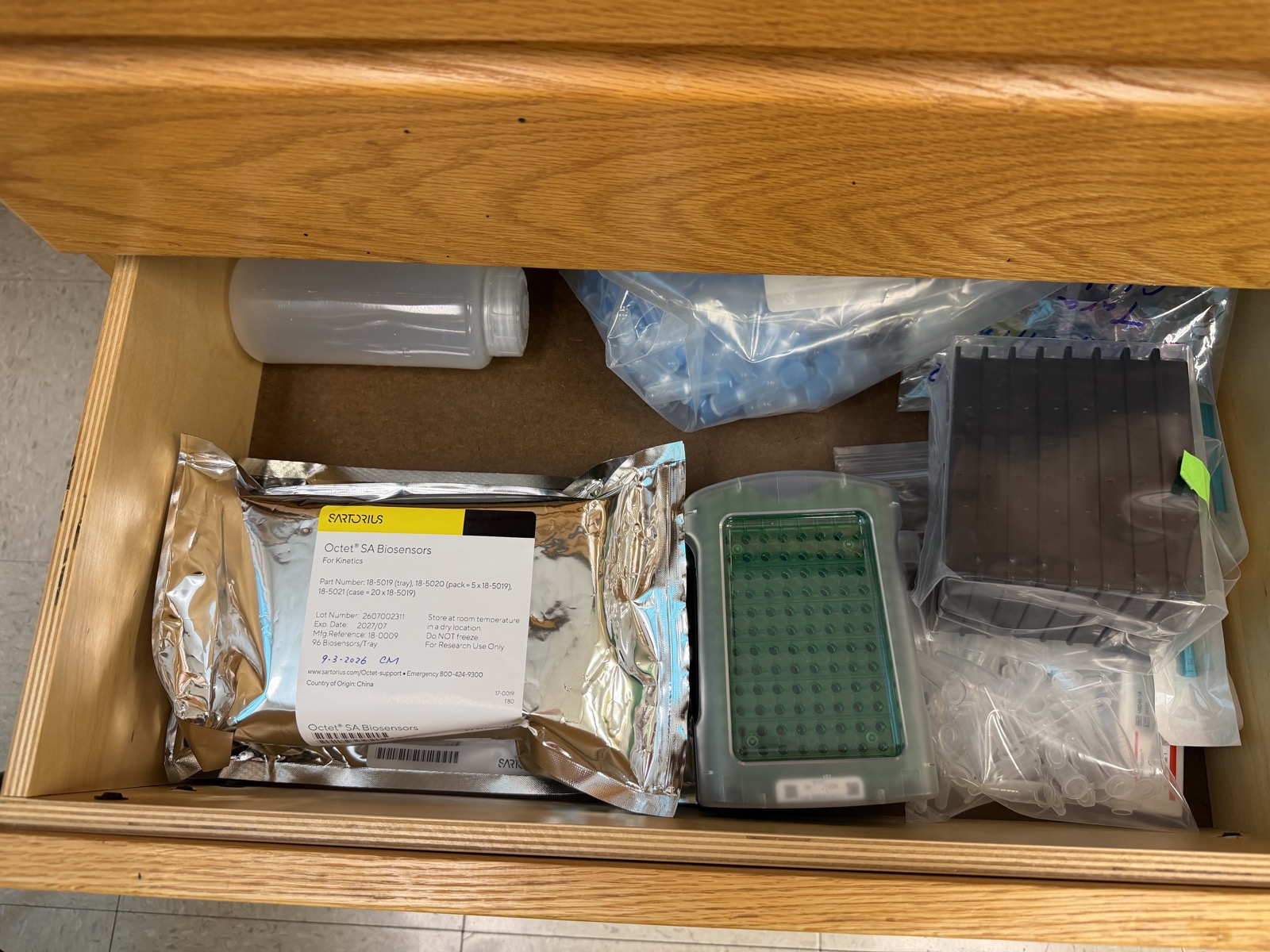
Section titled “3. Consumables”- Biosensors, matched to the capture chemistry. The lab uses Octet Streptavidin (SA) biosensors, item no. 18-5019, for biotinylated ligands.
- New tip trays are stored in the drawers underneath the table. Keep a tray level, handle it gently, leave the silicone desiccant packet inside the silver package, and reseal it well.
- Used tips sit in the green/blue tray inside the instrument; their positions record which wells of the black buffer plate below have been used. When you run out of space, discard the used tips and the black buffer plate but keep the green tray.
- Black buffer plates and sample plates:
TODO: plate type and catalogue number. - A dedicated Octet multichannel pipette lives with the instrument and is used only for picking up sensor tips.
4. Software
Section titled “4. Software”Two programs run on the attached PC:
- Data Acquisition (blue dots in the logo) builds methods and runs experiments. Methods and results are saved under
C:\Data\<your name>\. - Data Analysis processes traces, subtracts the reference sensor, and fits kinetic models. The lab has used version 11.1.
5. Troubleshooting
Section titled “5. Troubleshooting”- Response too high or too low: aim for a loading response of 0.5-0.8, and no higher than 1. If you do not know the right loading concentration, run a concentration series first.
- Noisy or drifting traces: check that the sensors were equilibrated in running buffer for a full 10 min, and that no wells contain bubbles.
- Sensor damaged on pickup: lift straight up and do not let the sensor tips touch the well walls.
6. Service and support
Section titled “6. Service and support”- Vendor: Sartorius
- Service contract: None
7. Manuals and documents
Section titled “7. Manuals and documents”- Octet Data Acquisition User Guide (PDF)
- Shah and Duncan, J Vis Exp (2014) - setup video and overview of the Octet.